Best Smart Bulbs for Home Lighting: Complete Guide to Upgrading Your Space
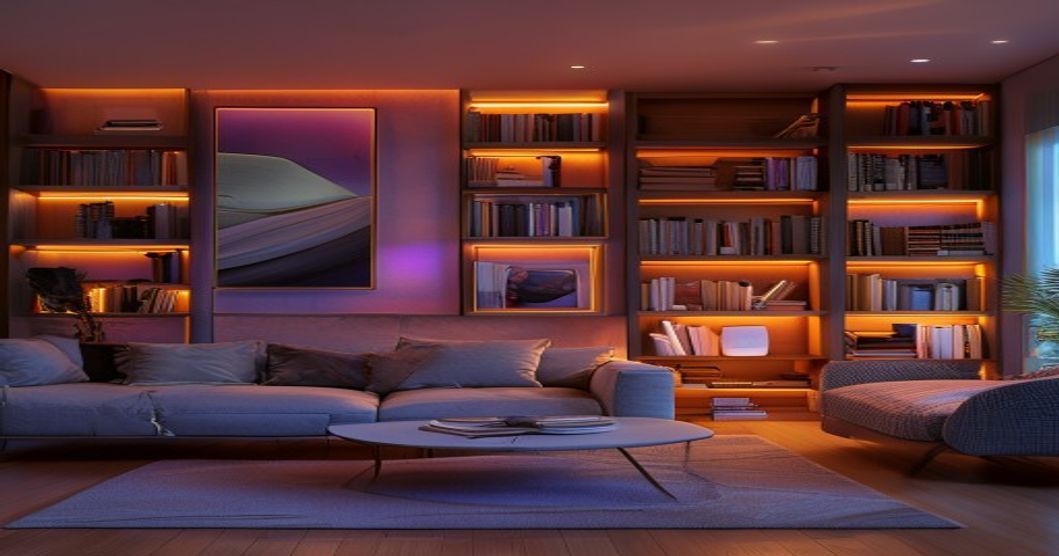
Smart bulbs have become one of the easiest ways to transform your home’s ambiance, energy efficiency, and convenience. Whether you’re looking to create the perfect mood for movie night, automate your morning routine, or simply reduce your electricity bill, the right smart bulb can do far more than a traditional incandescent or basic LED fixture.
The smart bulb market has exploded over the past few years, and choosing between hundreds of options can feel overwhelming. This guide breaks down what makes a smart bulb worth buying, what features actually matter for your space, and which types work best in different rooms of your home.
Top Picks: Smart Bulbs by Use Case
Best Choice
Ideal for living rooms, bedrooms, and entertainment spaces where you want mood flexibility. These bulbs can shift from warm amber to cool white to vivid colors, letting you customize lighting for relaxation, focus, or parties without buying new fixtures.
Best Value
Best for kitchens, bathrooms, and task-oriented spaces. These adjust between warm (around 2700K) and cool white (around 4000–5000K), supporting your natural circadian rhythm while keeping costs lower than full RGB options. Perfect for morning routines and evening wind-down.
Premium Option
The workhorse choice for ceiling fixtures, hallways, and reading nooks. They deliver consistent, bright warm white light while dimming smoothly for flexibility. Great entry point if you’re new to smart lighting and want simplicity without sacrificing control.
What to Look for in a Smart Bulb
Compatibility and Smart Home Ecosystem
The most critical factor is whether the smart bulb works with your existing setup. If you have an Alexa speaker, you’ll want bulbs that integrate directly with Alexa. Google Home users should verify Google Assistant support. Some bulbs work across multiple platforms, while others are locked to one ecosystem.
Check whether the bulb requires a separate hub (like a bridge or router) or connects directly to your Wi-Fi. Direct Wi-Fi bulbs are more convenient to set up, but hub-based systems often offer more reliable control and faster response times, especially if you have many bulbs. Before buying, verify your phone’s app compatibility and read reviews about setup difficulty.
Brightness and Lumens
Smart bulbs are sold by their lumen output, not wattage. Most standard bedroom bulbs deliver roughly 800–1000 lumens (equivalent to traditional 60-watt incandescent). Task areas like kitchens and offices typically benefit from around 1100–1600 lumens (equivalent to 75–100W incandescent). Always check the product specs for lumens—don’t rely on wattage comparison alone, as efficiency varies between brands.
Pay attention to whether the brightness is adjustable. True smart bulbs should dim smoothly without flicker, which matters for eye comfort during evening reading or movie watching. Budget bulbs may flicker when dimmed, which can reduce the value of smart control.
Color Range and Color Temperature
If you’re buying full-color bulbs, check the range. Most quality RGB bulbs cover a wide visible spectrum, but some budget options may produce less saturated colors. For white-only bulbs, the color temperature range (measured in Kelvin, or K) is key. Warm white is typically around 2700K, while cool white ranges from roughly 4000–5000K. A tunable bulb should smoothly transition between these without visible stepping.
Energy Efficiency and Lifespan
Smart bulbs use LED technology, so they’re inherently more efficient than incandescent fixtures. Look for bulbs rated for at least 15,000–25,000 hours of life, which translates to several years of typical use. Some premium smart bulbs claim 50,000+ hours. Lower wattage for equivalent brightness is always better—compare bulbs by lumens per watt to understand efficiency.
Automation and Scheduling
One of smart bulbs’ biggest advantages is scheduling. Can the bulb turn on and off at specific times? Does it support sunrise/sunset-based automation? Can you create scenes (e.g., “movie mode” = all lights dim to 10% red)? Apps matter here—brands with mature, intuitive apps make automation feel effortless, while clunky apps turn smart bulbs into a chore.
Smart Bulbs by Room: Practical Recommendations
Living Room and Entertainment
This is where color-changing bulbs shine. You want flexibility to shift from bright white for daytime to warm amber for evening to any color for a party. Look for bulbs with scene presets (like “movie” or “dinner”) built into the app. Brightness should be adequate for reading (typically 1000+ lumens), and dimming should be smooth and flicker-free.
Bedroom
Circadian-friendly tunable white bulbs are ideal here. A warm glow (around 2700K) before bed signals your body it’s time to wind down. Some smart bulb apps include a “sleep” mode that gradually dims lights. If you like reading in bed, ensure the bulb reaches at least 800 lumens. Avoid cheap colored bulbs in bedrooms—inconsistent color rendering can be distracting when you’re trying to relax.
Kitchen and Bathroom
Task lighting needs brightness and consistency. Cool white (around 4000–5000K) supports alertness and accurate color vision for cooking or grooming. A bright, dimmable white bulb is your best bet. You don’t necessarily need color control here, so a good quality warm-to-cool tunable bulb will save money while meeting all practical needs.
Hallways and Closets
Motion detection and automation shine in these spaces. A simple, bright white smart bulb on a schedule or voice control is practical. Some smart bulbs integrate with motion sensors, so the light turns on automatically when you enter. This doesn’t require high-end color features—focus on reliable brightness and smart home integration.
Comparison Table: Smart Bulb Types at a Glance
| Bulb Type | Best For | Color Range | Price Range |
|---|---|---|---|
| Full RGB Color | Entertainment, mood lighting, living spaces | 16 million+ colors | $15–$30+ (check current pricing) |
| Tunable White (CCT) | Bedrooms, kitchens, task areas | 2700K–5000K | $10–$20 (check current pricing) |
| Bright Dimmable White | General home lighting, hallways, closets | Warm white only (2700K) | $8–$15 (check current pricing) |
| Single-Color Smart Bulbs | Outdoor, specialty accent lighting | One fixed color | $5–$12 (check current pricing) |
Pros and Cons of Smart Bulbs
- Automate lighting by time of day or on voice command
- Adjust brightness and color without leaving your seat or bed
- Create custom scenes for different moods (movie, dinner, reading)
- Lower energy consumption than incandescent or older LED bulbs
- Easy installation—works in standard sockets; no rewiring needed
- Improve home security with away-mode schedules that simulate occupancy
- Integrate with broader smart home systems for coordinated automation
- Higher upfront cost per bulb than traditional LEDs
- Requires Wi-Fi or a hub—setup can be tricky for non-technical users
- Dependence on manufacturer servers and app support (risk if company discontinues product)
- Some budget bulbs may flicker when dimmed or produce inconsistent colors
- Wireless connectivity sometimes lags or drops; voice response isn’t instant
- Eco-system lock-in: mixing brands can reduce convenience
- Battery-free remote controls (if included) add expense and clutter
Smart Bulbs and Broader Lighting Design
Smart bulbs work best as part of a layered lighting plan. Don’t rely on a single overhead fixture. Combine ambient lighting (ceiling or wall fixtures), task lighting (reading lamps, desk lights), and accent lighting (smart strips on shelves or behind art) for depth and flexibility. If you’re interested in complementing smart bulbs with other smart lighting solutions, consider reading our guide on best LED strip lights for home decor, which pairs beautifully with smart bulbs for accent and mood lighting.
When choosing fixtures, remember that smart bulbs fit standard E26 (US) or E27 (global) sockets. Hue-style bulbs work in chandeliers, track lighting, pendant lights, and table lamps. Recessed ceiling lights also work with smart bulbs, though placement in enclosed fixtures can trap heat and may affect lifespan—check the product’s heat rating if you’re using enclosed fixtures.
Setting Up Smart Bulbs: Quick Tips
- Start small: Buy one or two bulbs to test compatibility and app usability before buying in bulk.
- Position your Wi-Fi router: Smart bulbs need a strong signal. If your router is far from the room, consider a Wi-Fi extender or mesh system.
- Reset bulbs properly: Smart bulbs have specific reset procedures (often rapid on-off cycles). Follow the manual to the letter to avoid frustration.
- Label bulbs in the app: Name them by room and function (“Living Room Ceiling,” “Bedroom Lamp”) so automation and scenes make sense.
- Test scheduling before relying on it: Create a simple daily schedule first; complex automations can be added once you’re comfortable.
- Keep the default app: Even if you use a third-party app like Home or Alexa, keep the bulb manufacturer’s app installed for troubleshooting.
Compatibility Checklist
Before buying, verify:
- Does the bulb work with your smart speaker (Alexa, Google Home, Siri, etc.)?
- Does it require a hub or is direct Wi-Fi supported?
- Is the app available on your phone’s operating system?
- Do you need a dimmer switch, and if so, is the bulb compatible with smart dimmers?
- What’s the return or replacement policy if the bulb fails or doesn’t meet expectations?
- Is the manufacturer’s support reputation solid? (Check reviews on customer service.)
Energy Savings and ROI
While smart bulbs cost more upfront than basic LEDs, the energy savings and convenience often justify the investment. Smart bulbs typically draw around 8–12 watts for brightness equivalent to traditional 60-watt incandescent bulbs, significantly reducing electricity usage. If you run lights around 5 hours daily, potential annual savings per bulb may be in the range of several dollars, depending on local electricity rates. Over a bulb’s lifespan, this can add up.
The real value, however, is behavioral. Smart bulbs encourage you to actually use dimming and automation, which reduces energy waste more than the technology itself. Scheduling lights to turn off automatically or dimming them instead of running at full brightness compounds savings over time.
Troubleshooting Common Smart Bulb Issues
Bulb Not Connecting
Ensure your Wi-Fi network is 2.4 GHz (many smart bulbs don’t support 5 GHz). Power cycle the bulb and router. Check that your phone is connected to the same network as the bulb.
Lag or Delayed Response
Move your router closer or add a mesh extender. Too many devices on your network can slow smart bulb response. Reducing device count or upgrading to a dual-band router often helps.
Color Not Matching the App
Recalibrate the bulb in the app (look for a “calibrate color” option). Poor color accuracy suggests a budget bulb or a defective unit—contact the manufacturer’s support.
Dimming Flicker
Some dimmer switches aren’t compatible with LED smart bulbs. If you have an older dimmer, upgrade to one certified for LED or smart bulbs. If there’s no physical dimmer, flicker during app dimming suggests a quality issue with the bulb.
Smart bulbs transform how you light and control your home. The best choice depends on your ecosystem, budget, and specific room needs. For maximum flexibility and mood control, full-color RGB bulbs excel in living rooms and entertainment spaces. For kitchens, bathrooms, and task-focused areas, tunable white bulbs offer excellent value and circadian-friendly control. Simple dimmable white smart bulbs remain the most practical entry point if you’re new to smart lighting.
Start with one or two bulbs from a reputable brand that matches your smart home platform, test the app and reliability, then expand. Pair smart bulbs with complementary accent lighting like LED strip lights for layered, dynamic lighting that elevates your entire space. With the right setup, smart bulbs become invisible technology that makes your home more comfortable, efficient, and enjoyable.
Affiliate Disclosure
This article contains affiliate links to Amazon. As an Amazon Associate I earn from qualifying purchases. This means if you click a link and make a purchase, we may receive a commission at no additional cost to you. We only recommend products we believe offer genuine value and have researched thoroughly. Thank you for supporting our work.