Best Smart Bulbs 2025: Top Picks for Home Lighting & Decor
Disclosure: This post may contain affiliate links. We may earn a commission on qualifying purchases at no extra cost to you.
Best Smart Bulbs: Transform Your Home Lighting
Smart bulbs are no longer a luxury—they’re a practical way to enhance home comfort, save energy, and create the perfect ambiance for any moment. Whether you’re looking to brighten your workspace, set a relaxing mood in your bedroom, or automate your entire home’s lighting, the right smart bulb can make all the difference. In this guide, we’ll walk you through the top smart bulb options, key features to consider, and how to choose the perfect fit for your home.
Top Picks for Smart Bulbs
Best Choice
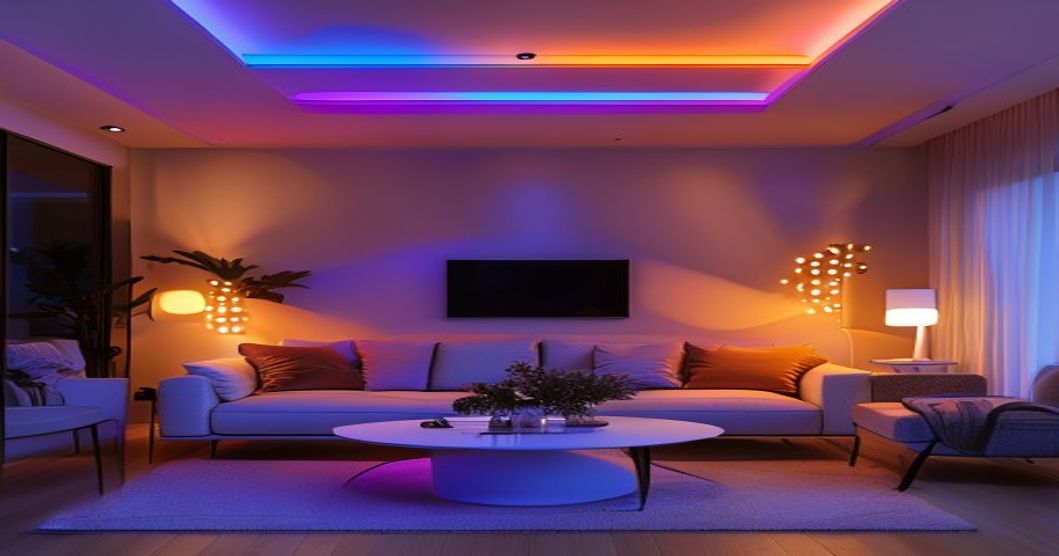
These bulbs support a wide range of colors and are compatible with Alexa and Google Home, making them ideal for anyone wanting full control over their lighting environment. Perfect for living rooms, bedrooms, and entertainment spaces where ambiance is key.
Best Value
If you don’t need color-changing capabilities, warm white dimmable bulbs offer energy efficiency benefits and tend to be more affordable than color-changing options. Ideal for hallways, bathrooms, kitchens, and bedrooms where consistent, warm lighting is preferred.
Premium Pick
These bulbs let you adjust color temperature from warm to cool white, making them perfect for work-from-home offices and multifunctional spaces. Check out our guide on the best desk lamp for work and home office for lighting solutions optimized for productivity.
Key Features to Compare
| Feature | What It Means | Best For |
|---|---|---|
| Brightness (Lumens) | Measured in lumens; higher = brighter. Most smart bulbs range from approximately 600–1,000 lumens. | Main fixtures and task lighting |
| Color Temperature | Warm (around 2700K), neutral (around 4000K), or cool (around 6500K). Check adjustability. | Rooms needing mood flexibility |
| Connection Type | Wi-Fi, Bluetooth, or Zigbee. Wi-Fi is most common. | Whole-home automation |
| Voice Assistant Compatibility | Works with Alexa, Google Home, Apple HomeKit, or Samsung SmartThings. | Voice-controlled homes |
| Scheduling & Automation | Lights turn on/off automatically based on time, presence, or routines. | Convenience and energy saving |
| Lifespan (Hours) | Quality smart bulbs typically last many thousands of hours—generally advertised as 10+ years of typical use. | Long-term value assessment |
Pros & Cons of Smart Bulbs
- Remote control via smartphone app from anywhere
- Scheduling and automation reduce energy bills
- Voice control compatibility (Alexa, Google Home)
- Wide range of color options and adjustable brightness
- Long lifespan reduces replacement cost over time
- Easy setup in existing fixtures (no rewiring)
- Compatible with smart home routines and scenes
- Higher upfront cost compared to standard LEDs
- Requires Wi-Fi or Bluetooth connectivity
- Compatibility issues between different ecosystems
- App dependency for full control (slower than wall switches)
- May need a smart hub or bridge for some systems
- Dimmer switches may not work with all smart bulbs
- Potential privacy concerns with connected devices
Who It’s For (and Who It’s Not)
Great For:
- Remote workers and students — Adjustable color temperature boosts focus during the day and promotes relaxation at night. See our guide on the best desk lamp for every work space for additional productivity lighting solutions.
- Entertainment enthusiasts — Create synchronized, color-changing lighting for movies, gaming, or parties.
- Busy professionals — Automation means lights turn on when you arrive home and off when you leave.
- Accessibility needs — Voice and app control help those with mobility challenges manage lighting.
- Energy-conscious homeowners — Scheduling and automation can help reduce overall electricity consumption.
May Not Be Worth It For:
- Budget-conscious buyers on a tight budget—standard LEDs have a lower upfront cost.
- Users without smart home devices — If you have no Alexa, Google Home, or SmartThings, you’ll rely on the app only.
- Homes with unreliable Wi-Fi — Connectivity issues will frustrate you; invest in mesh Wi-Fi first.
- Renters with restrictions — Some landlords prohibit smart home modifications; confirm before installing.
- Simple, always-on fixtures — If a light is rarely dimmed or controlled, a basic LED suffices.
- Privacy-sensitive users — If you’re concerned about data collection, consider offline-only smart bulbs or skip them.
How to Choose the Right Smart Bulb for Your Space
1. Identify Your Primary Need
Are you looking for energy savings through automation, mood lighting through color changing, or productivity enhancement through adjustable white light? Your answer will narrow down options significantly. For focused work environments, explore our best desk lamp for home office guide to see how smart lighting pairs with dedicated task lamps.
2. Check Your Existing Smart Home Ecosystem
If you already own Alexa devices, prioritize bulbs with proven Alexa compatibility. Google Home users should verify Google Home support. Apple HomeKit users should look for the HomeKit certification badge. Mismatched systems mean juggling multiple apps.
3. Consider Brightness (Lumens)
A standard 60-watt incandescent bulb produces roughly equivalent light to approximately 800 lumens. Most smart bulb options range from around 600 to 1,000 lumens. For accent or ambient lighting, 400–600 lumens works fine. For main overhead fixtures, aim for 800 lumens or higher. Check the product specifications before purchasing.
4. Evaluate Color & Temperature Needs
Warm white (around 2700K) is cozy for bedrooms and living rooms. Cool white (around 5000K or higher) energizes kitchens and offices. If you want flexibility, tunable white or full-color options let you adjust anytime through the app. Multicolor bulbs cost more but offer the most versatility.
5. Test Dimming & Scheduling Features
Not all smart bulbs dim smoothly—some may flicker or hum. Read user reviews for dimming quality. Scheduling is especially useful for mornings (gradually brighten at wake-up time) and evenings (fade to warm light before bed). Verify the app is intuitive before committing.
6. Assess Installation & Compatibility
Smart bulbs fit standard E26/E27 sockets in most homes. However, if you have specialized fixtures (candelabra, pin-based, or recessed), confirm the bulb type is available. Also, check if your existing dimmer switch is smart-bulb compatible to avoid flickering or failure.
Energy Savings & Long-Term Value
Smart bulbs consume significantly less energy than incandescent or halogen alternatives—typically a fraction of the wattage compared to traditional bulbs. When you add scheduling (automatically turning off unused lights) and dimming (reducing power draw), you can trim home energy costs over time.
A quality smart bulb costs more upfront but is designed for long-term use, potentially lasting many years with minimal maintenance. Unlike traditional bulbs requiring frequent replacement, the per-year cost can become competitive with standard LEDs once you factor in longevity. Additionally, many utility companies offer rebates for LED and smart bulb upgrades—check your local provider’s program.
Smart Bulb Setup & Troubleshooting Tips
Getting Started
- Turn off the light at the switch before removing the old bulb.
- Screw in the smart bulb securely into the fixture.
- Turn the switch back on.
- Download the manufacturer’s app (or your ecosystem’s app, e.g., Alexa app).
- Add the bulb by scanning the HomeKit code or QR code on the packaging.
- Assign the bulb to a room and create automations or scenes.
Common Issues & Solutions
Bulb won’t connect: Ensure 2.4 GHz Wi-Fi is available (some smart bulbs don’t support 5 GHz). Restart your router and the bulb (flip the switch off/on a few times). Move closer to the router temporarily during setup.
Flickering or dimming doesn’t work smoothly: Incompatible dimmer switches are the usual culprit. Replace the dimmer with a smart-bulb-compatible version, or remove the dimmer entirely and control brightness via the app.
Voice commands not responding: Check that the bulb and voice assistant are on the same Wi-Fi network. Verify the bulb is assigned to the correct room in the app. Restart the voice device.
App crashes or slow response: Update the app and bulb firmware. Reduce the number of devices on your network if it’s congested. Consider a mesh Wi-Fi system for better coverage and stability.
Comparing Smart Bulbs vs. Smart Switches
Smart bulbs work in existing sockets without rewiring. Smart switches, on the other hand, require professional installation but work with any bulb and offer wall-level control. For renters or those avoiding electrical work, smart bulbs are simpler. For whole-room automation and ease of use, smart switches may offer superior functionality. Many homes benefit from a hybrid approach: smart bulbs in lamps and accent fixtures, smart switches for main overhead lights.
Real-World Applications for Smart Bulbs
Bedroom Ambiance
Set up a scene that gradually brightens before wake-up time, mimicking sunrise. Before bed, a warm-light scene at low brightness signals the body to produce melatonin. No manual switching—your routine is automated.
Home Office Productivity
During work hours, switch to cool-white to boost alertness and focus. At the end of the workday, the lights automatically shift to warm white, signaling the transition. Dimming on overcast days compensates for reduced natural light.
Entertainment & Entertaining
Create a “movie night” scene with soft, warm, dimmed lighting. A “dinner party” scene offers brighter lighting for cooking prep, then shifts to warm and intimate for dining. Guests are impressed by seamless lighting transitions via a voice command.
Energy Savings Through Absence
Set lights to turn off after a period of inactivity or use geofence automation that switches lights off when household members leave. Returning home, geofencing or a scheduled routine can brighten lights as you enter.
Smart bulbs transform your home’s lighting from a static utility into a dynamic, personalized experience. Choose multicolor bulbs for maximum versatility and ambiance control, warm white bulbs for budget-conscious energy efficiency, or tunable white bulbs for productive work environments. Ensure compatibility with your smart home system (Alexa, Google Home, etc.), verify brightness and color options match your needs, and check user reviews for dimming smoothness and app reliability. The upfront cost is higher than traditional LEDs, but automation, scheduling, and long lifespan deliver real value for most households.
Final Thoughts on Smart Bulb Investment
The smart bulb market has matured significantly, offering options across various price points. Whether you’re starting with a single multicolor bulb in your living room or systematizing your entire home’s lighting, there’s a smart bulb strategy for you. Start small, test compatibility, and expand once you’re confident in the system. With thoughtful selection and setup, smart bulbs quickly become infrastructure that enhances comfort, saves energy, and simplifies daily life.